 devpit
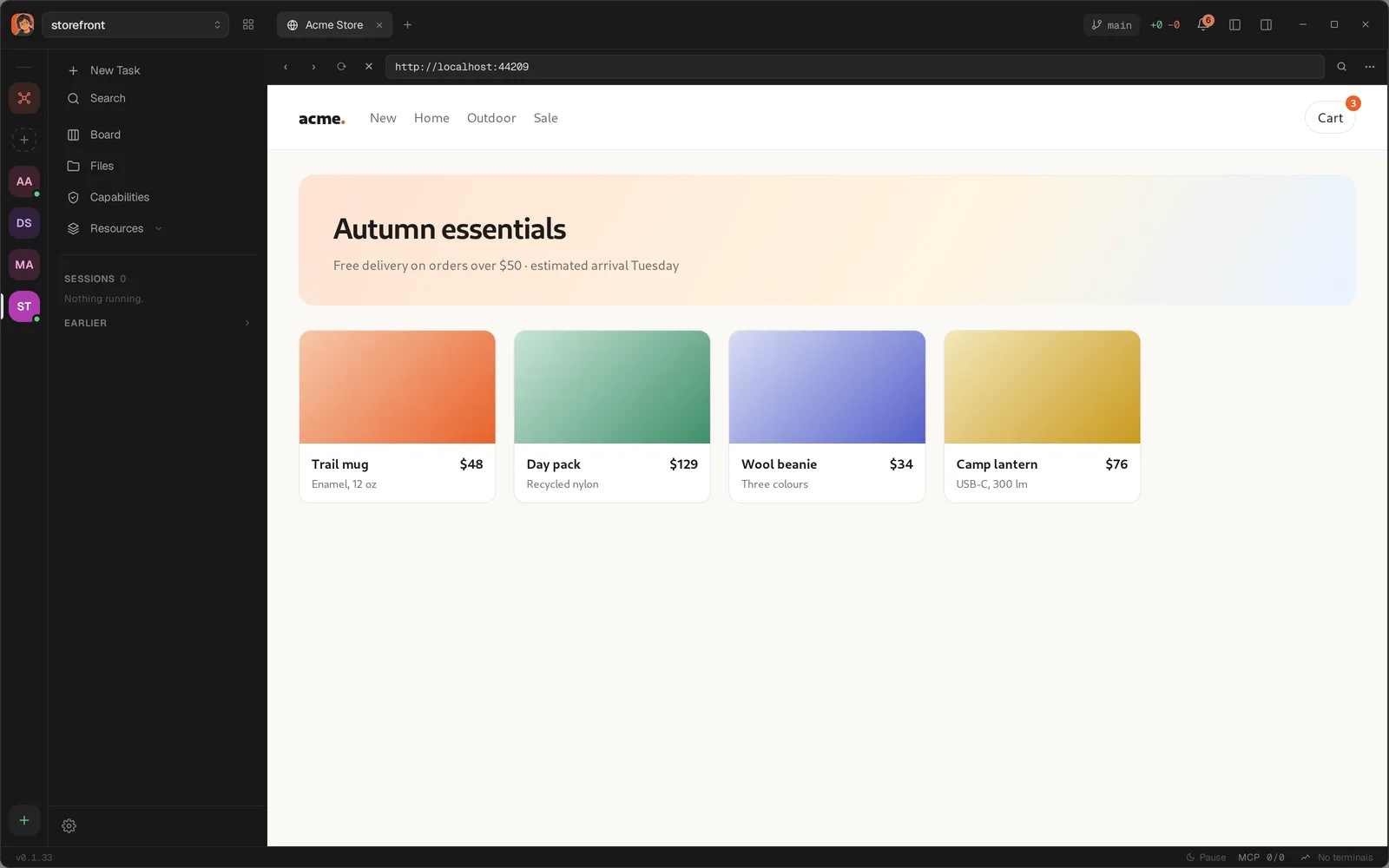
The browser pane shows a page — usually the one your project is serving — beside the terminal, so checking what an agent changed does not mean switching windows. Open one from the sidebar's New Task → Browser. It has no keyboard shortcut.
Why it is not an iframe
The page is a second native webview, laid over a hole in the devpit window. It is not inside devpit's own document, so it cannot reach what devpit draws and cannot call devpit's commands. That matters most on a page you are signed into.
The bar
Back (‹), forward (›), reload (⟳) and stop (✕), then the address field, Find in page, and ⋯ for the Browser menu. The address field opens http and https, and nothing else.
Typed without a scheme, an address on this machine — localhost:3000 — opens over http, because that is what a dev server answers. Anything else gets https. A word that is not an address is refused: devpit does not search for you.
A page that will not load says why in the pane rather than leaving a blank rectangle. The tab takes the page's own title.
Find in page
The find bar takes the address field's place. Enter finds the next match, Shift-Enter the previous one, Escape closes it. It shows no match count, because the page offers no way to ask for one. ⌘F (Ctrl on Linux and Windows) opens it too, but only while devpit has the keyboard — click into the page and the page gets the keys, which is why the button is there.
The menu
The menu opens as a small window of its own, so it draws above the page.
| Item | What it does |
|---|---|
| Sessions | Which named session this pane is in, with a tick. See Signing in. |
| New session… | Names another one. |
| Bring a signed-in session | Brings cookies over from a browser on this machine. |
| Page width | Holds the page at a fixed width. |
| Let an agent drive this page | Off by default. See Letting an agent drive a page. |
| Sign out of “default” | Empties the pane's session. It names the session it is in. |
Page width
Page width offers The whole pane, or a fixed size from Mobile S (320 × 568) to Desktop (1920 × 1080) — the sizes Chrome DevTools uses, so a layout breaks at the same place in both. The page is centred and never larger than the pane.
As the menu says: "A width, not a device: the page is held narrower. Its user agent and touch support do not change."