 devpit
Agents are easy to start and hard to keep track of. Five terminals in, you no longer know what is running, what it cost, or which one you were reading.
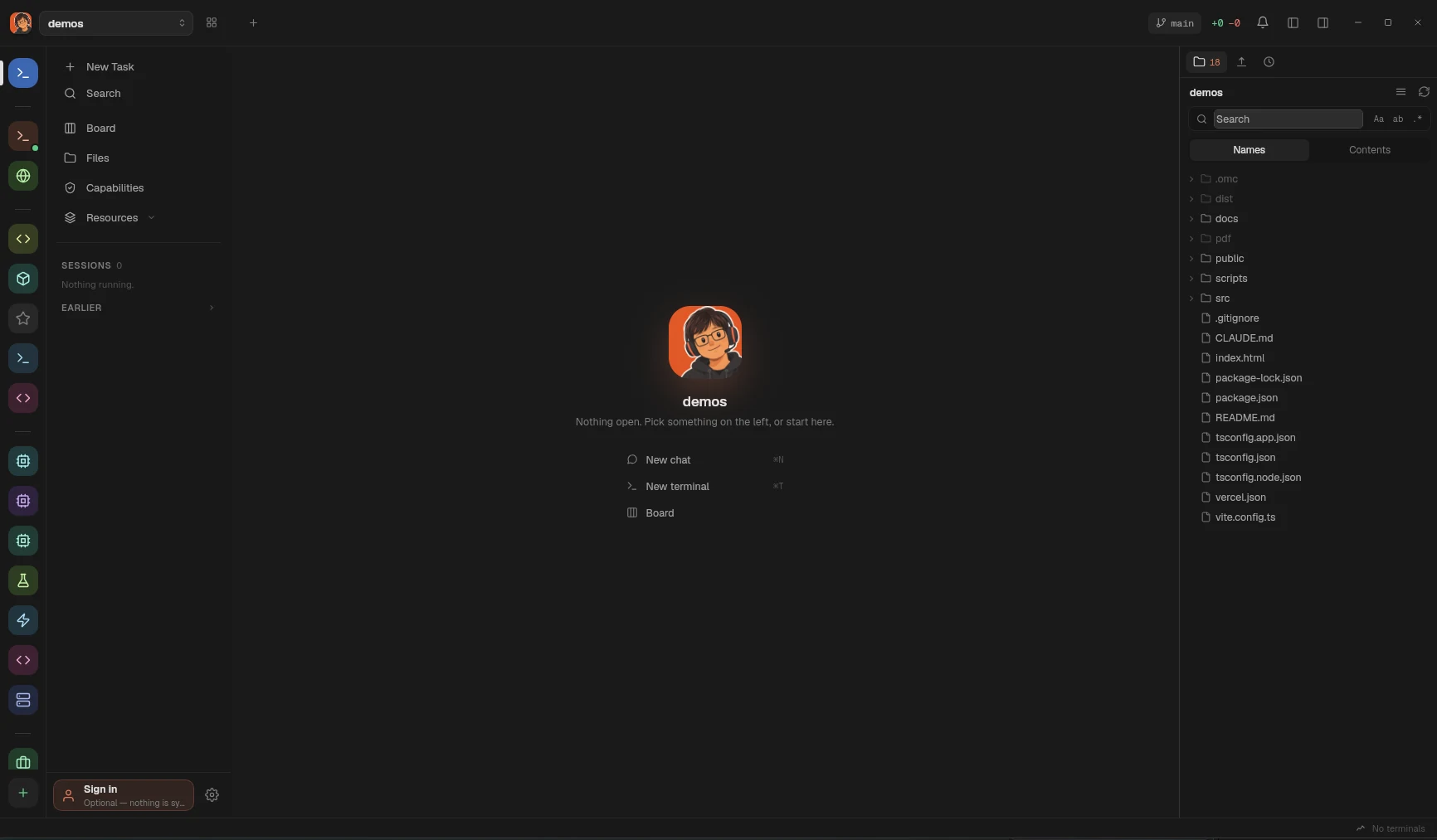
devpit is a desktop app that keeps every step of that work visible and under your hand: one terminal you are actually watching, a board that says where each piece of work stands, and a number on every agent call.
What it does
- One target terminal per project. Switching work switches what is attached to it. The previous session keeps running; it just stops taking up the screen. Terminals are tmux sessions, so closing devpit does not stop them.
- A board that runs the work. Moving a card into a column runs that column's step — an agent, a session in your terminal, or a command of yours. A lane moves a card on only as far as you let it, and a card follows the work an agent does on it.
- A number on every agent call. Every agent step carries a spending cap, and the real cost is written on the card when it finishes.
- A git worktree per line of work, made when a step needs a checkout and removed when you say so.
- Agents are files. Markdown with frontmatter in
~/.devpit/agents/, plus whatever your tooling already installed. devpit references them, never copies them. - A browser pane, a file tree and diffs beside the terminal, so reviewing what an agent did does not mean leaving.
- Orchestrators, when you want one: a chat you drive that sees the projects you link to it, hands a card's work to a session, and hears what its sessions did.
- The island: a small capsule above your other windows that says what every agent is doing, and lets you answer the one waiting on you.
- Reminders at the time you asked for, and Remote: this machine's terminals and board from your phone, over Tailscale.
The board is optional. Open devpit, type into the terminal, and your agent CLI behaves exactly as it always has.
On your machine
Projects, boards, conversations and terminal history live in ~/.devpit on this computer. Your work is never uploaded. An account is optional and, today, signs you in and does nothing else — syncing between machines is not built. Error reports are a switch of their own, off unless you turn it on. See Where your data lives.
Before you start
devpit is early. Linux is the build; macOS has a build that is unsigned and unnotarised; Windows has an installer that is not code-signed, and the Linux build also runs inside WSL 2. It needs tmux — psmux on Windows, which the installer carries. It drives one agent CLI end to end, Claude Code. Every other agent CLI runs in the terminal, and can tell devpit what it is doing; see Providers.
Where to go next
| If you want to | Read |
|---|---|
| Install it | Installing, Windows |
| Get a project on screen | Your first project |
| Understand the pieces | The model |
| Work in the terminal | The terminal |
| Put work on a board | Columns and cards, Steps |
| Talk to an agent | Chat |
| Work across projects | Orchestrators |
| Know which CLIs work | Providers |
| See where things are kept | Where your data lives |
| See what changed | The changelog |